Color Detection in Touchdesigner
How can color be used as input data for interactive applications? This is a quick test in Touchdesigner which showcases the simplicity of this pattern.
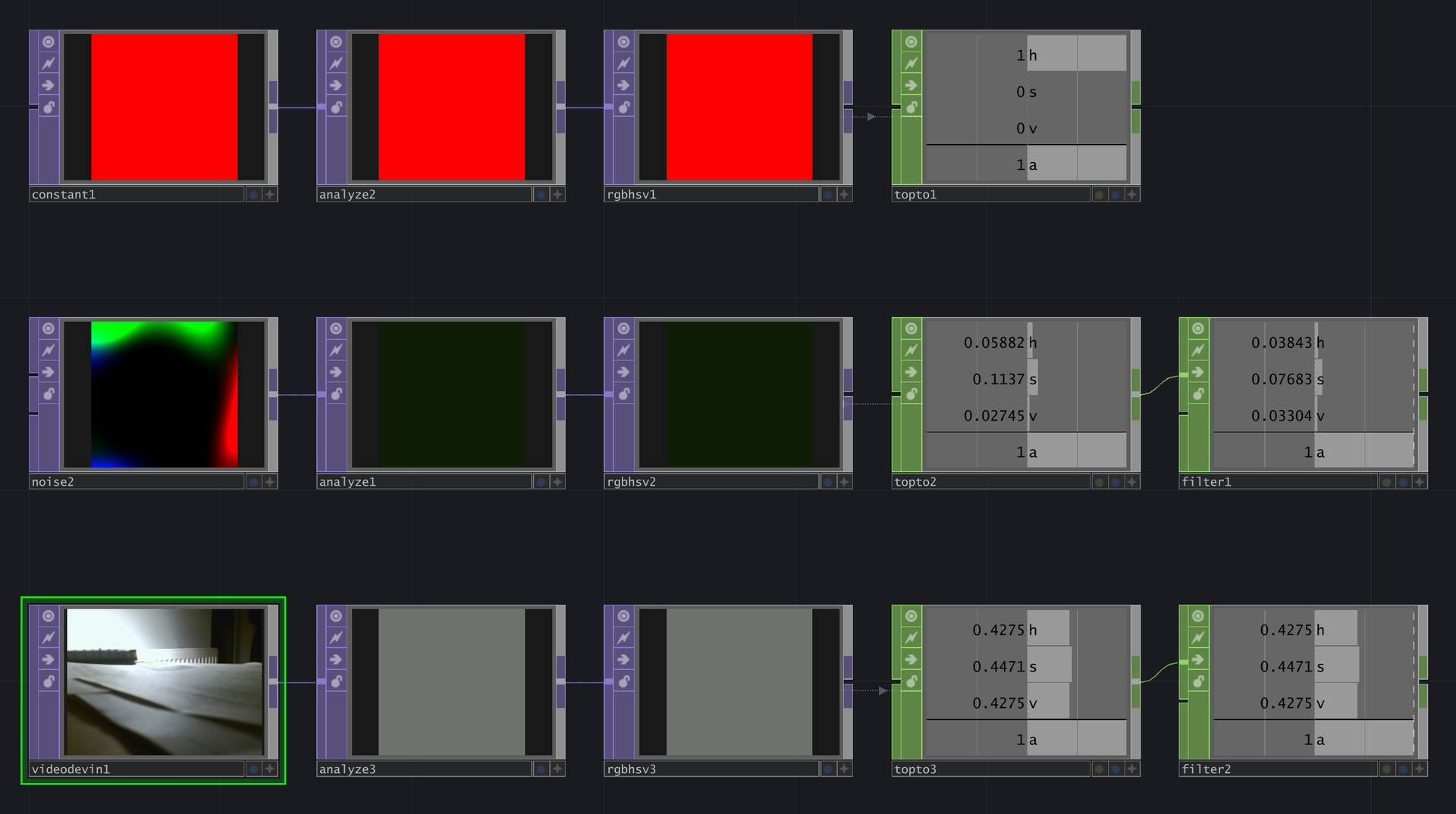
Step 1: Used an input source: e.g. a constant color, random colors or a webcam input
Step 2: Used an "Analyze"-TOP for returning single values and played around with different operations. In this case "Average" was used.
Step 3: optional: RGB color values to HSV using the "RGB to HSV"-TOP
Step 4: "TOP to CHOP" and renamed channels to HSV
Step 5: Used a "Filter"-CHOP for smooth interpolation between values
These channels could now be used for controlling certain parameters in the application. In combination with a camera this pattern could be used for building a color detecting controller. E.g. mixing watercolors in real time and returning average color values.
Color Detection in Touchdesigner
How can color be used as input data for interactive applications? This is a quick test in Touchdesigner which showcases the simplicity of this pattern.
Step 1: Used an input source: e.g. a constant color, random colors or a webcam input
Step 2: Used an "Analyze"-TOP for returning single values and played around with different operations. In this case "Average" was used.
Step 3: optional: RGB color values to HSV using the "RGB to HSV"-TOP
Step 4: "TOP to CHOP" and renamed channels to HSV
Step 5: Used a "Filter"-CHOP for smooth interpolation between values
These channels could now be used for controlling certain parameters in the application. In combination with a camera this pattern could be used for building a color detecting controller. E.g. mixing watercolors in real time and returning average color values.